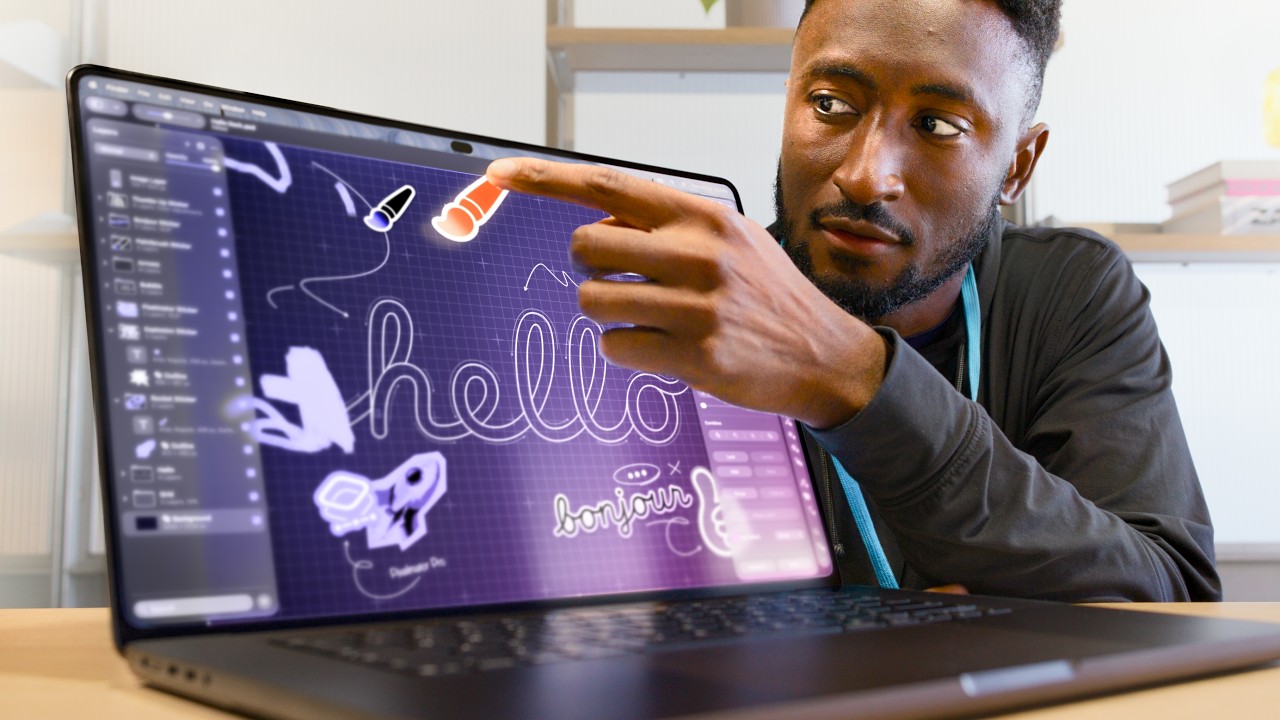




For years, Apple repeatedly insisted that touchscreens had no place on the Mac. After countless keynote remarks and interviews dismissing the idea, the new MacBook Pro with the PROLED XDR display shatters that long-held stance. I spent several days with this new creator-focused laptop, testing its flagship panel, new touch input, and real-world workflow performance to figure out whether Apple’s big reversal is a masterstroke, or just a flashy gimmick for video editors, photographers and AI creators.
The star attraction here is obviously the PROLED XDR panel itself, Apple’s tandem OLED replacement for the beloved mini‑LED Liquid Retina XDR display. The difference hits you the second you boot up Final Cut Pro or pull up a raw HDR photograph. Where the old mini‑LED version suffered from blooming around bright highlights against pure black backgrounds, every pixel switches fully off on this new OLED panel. The inky blacks are flawless, with a staggering 10,000,000:1 contrast ratio that makes subtitles, UI overlays and night-scene footage look far cleaner. Peak HDR brightness climbs to 2000 nits, a healthy bump above the 1600-nit ceiling of the prior generation, and it maintains that brightness consistently without rapid fade for short bursts of grading and previewing outdoors. It also covers both P3 and Adobe RGB colour spaces out of the box, with factory-calibrated reference modes built directly into macOS for colour-critical film work.
Its 10–120Hz ProMotion adaptive refresh is perfectly tuned for creative work. Scrolling through timelines, brushing retouch layers in Photoshop, or dragging AI-generated video previews feels silky smooth, without the jitter that plagues many third-party OLED laptop screens. The reduced Dynamic Island sits neatly at the top edge; it is far less intrusive than the notch on older MacBook Pros, and it feeds live status updates without eating into usable canvas space for editors.
Then we arrive at the controversial new feature: touch support on macOS. This is the part that divides long-time Mac loyalists. For iPad veterans or creators used to touch-first editing tools, tapping, panning and scrubbing directly on the display is genuinely useful. I found it excellent for quick timeline scrubbing, masking adjustments and previewing AI video exports without reaching for the trackpad or mouse. Crucially, Apple includes a system toggle to fully disable touch input in settings, which will please purists who never wanted this feature in the first place. The hardware team also reworked the hinge for sturdiness under finger pressure, so the screen does not wobble as badly as most touch Windows laptops.
That said, it is not perfect. OLED brings the familiar set of tradeoffs. Long static UI elements like menu bars, Final Cut timelines and export panels carry burn-in risk, even with Apple’s pixel-shift protection algorithms. The panel also draws more power than the older mini‑LED screen during bright HDR grading sessions, shaving a small chunk off that famous all-day battery life. Pricing is predictably steep; the PROLED XDR upgrade adds a significant premium over the standard mini‑LED MacBook Pro, forcing buyers to ask if the contrast and touch upgrade justifies the extra cost.
For our audience here at VIDXEL — creators editing AI-generated video, colour grading short films, retouching high-res photos and running local AI models — this is a transformative upgrade. If you live inside HDR workflows and demand reference-grade black levels on a portable machine, the PROLED XDR MacBook Pro is the best mobile editing screen Apple has ever built. If you mostly work on spreadsheets, web browsing and general productivity, the older mini‑LED model still delivers nearly 90% of the visual quality for less money.
Apple said they would never put a touchscreen on a Mac, and now they have. This is not just a display refresh. It marks a major shift in how Apple thinks about the boundary between iPad and Mac workflows. The PROLED XDR panel is spectacular, but its value hinges entirely on how you work. For serious visual creators, this unexpected pivot was absolutely worth waiting for.



暂无评论内容